Valid for the current GIGAMEDIA IP camera range*
Generally speaking, cameras can record without a recorder, as long as you insert an SD card. You can then set up the recording via the camera's remote settings.
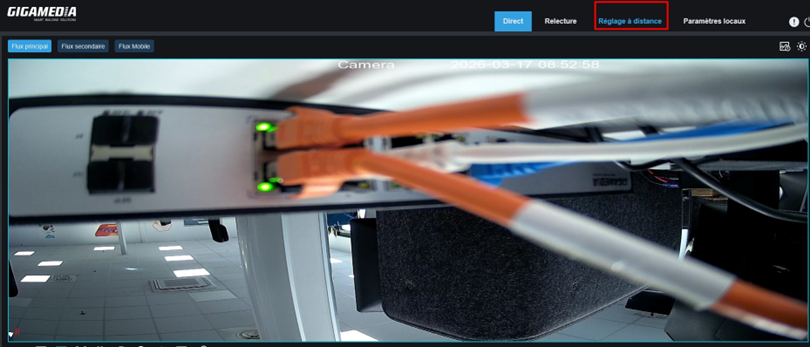
Prerequisites
The first thing you should do when setting up an SD card is to format it. To do this, go to Device → Disk.
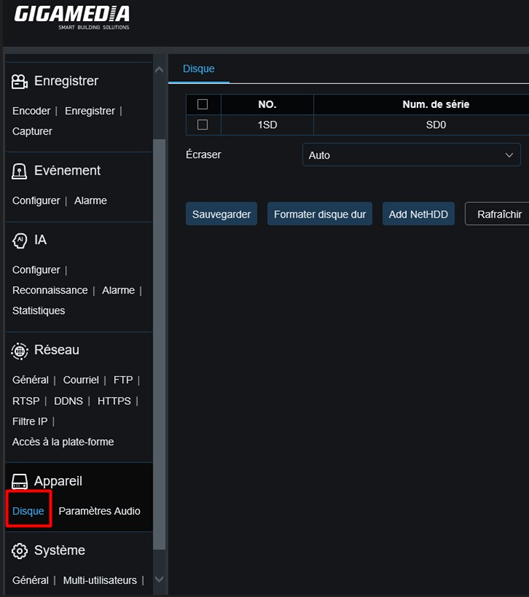
Then, select your SD card and start formatting.

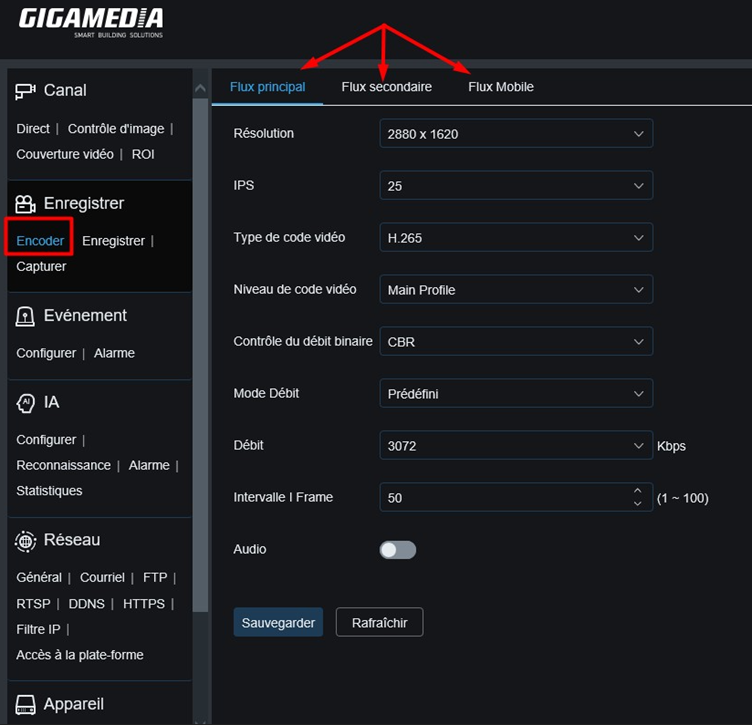
Once the card is formatted, you will be able to change the recording format in Save → Encode. This page allows you to adjust the resolution, bitrate, and type of encoding. These settings affect the size of the recordings: the higher the quality, the more space the files will occupy.
Video replay and extraction
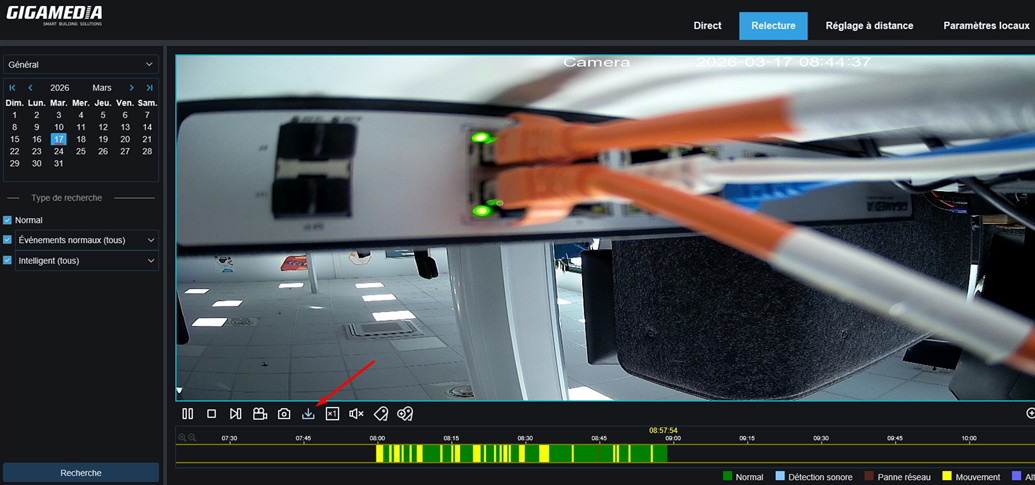
Once the settings are complete, your camera will begin recording. To view them, go to the "Replay" tab, select the desired day and click on "Search": you will then access
the recordings of your camera.
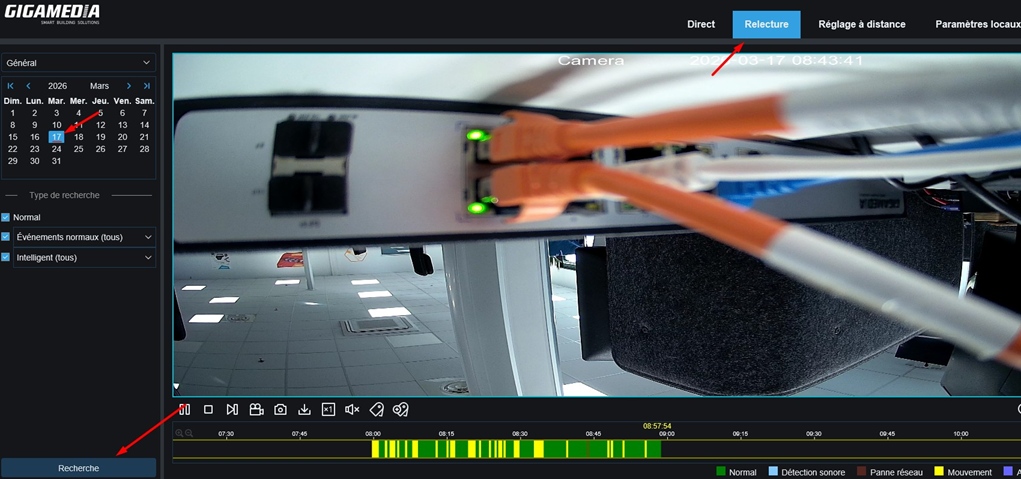
To rip the videos, click the arrow icon.
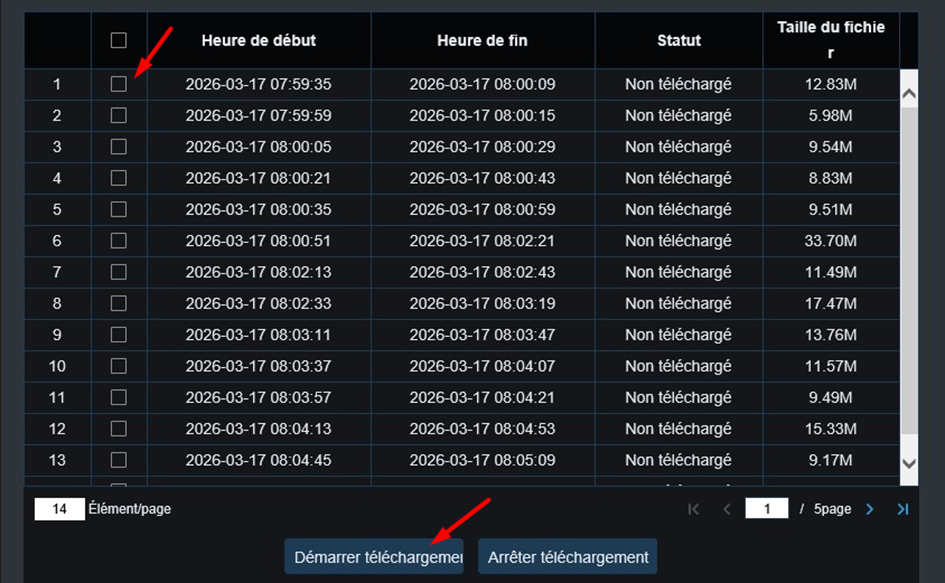
A page will then open and display the available recordings. Select the time slots you are interested in, then click "Start Download" to save the files to your device.
To find the recordings on your computer, go to the local settings: you will find the path to the downloaded videos as well as the format of the video files.
Make sure the file type is in MP4 or AVI, which are standard formats that can be played on PC, phone, etc.
Please note: the RF format is only readable from the recorder.
* Valid for the following GIGAMEDIA IP camera models:
GGM IPCB4KV12
GGM IPCB5F28G
GGM IPCB5MV12E
GGM IPCB5MV12EG
GGM
IPCB5VFM550VE
GGM IPCB8F28 GGM
IPCBA4F28 GGM
IPCD2MV12 GGM
IPCD2MV12VE GGM
IPCD4KV12 GGM
IPCD4MV12EG GGM
IPCD4MV12L GGM
IPCD5F28G GGM
IPCD5MV12E GGM
IPCD5MV12EG GGM
IPCD5MV12VE GGM
IPCD5MV12VG GGM
IPCD5MV12VG GGM
IPCD8F28 GGM
IPCDA4F28 GGM
IPCDM4X4VE GGM
IPCDM5F28 GGM
IPCDM8X4AD GGM
IPCEB2F28 GGM
IPCF12 GGM
IPCLB2F28 GGM
IPCLB5F28 GGM
IPCLD2F28 GGM
IPCMD5F28 GGM
IPCSD2X18IR100
GGM
IPCSD5X33IR150
According model of camera, SD card slots may change - See this article for that :
Where is the SD storage slot of GIGAMEDIA IP cameras ?
Was this article helpful?
That’s Great!
Thank you for your feedback
Sorry! We couldn't be helpful
Thank you for your feedback
Feedback sent
We appreciate your effort and will try to fix the article