Valid for the current range of GIGAMEDIA IP recorders *
Here is a tutorial to enable alarms by notification on your GGM VIEW Application :
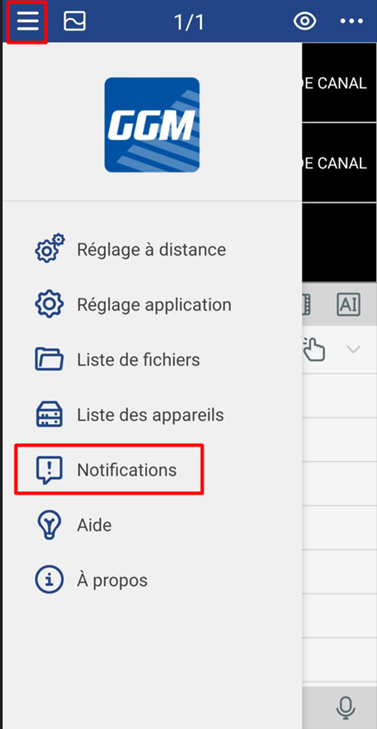
First, click on the icon on the top left.
Then, enable notifications by opening the "Notifications" section in the settings.
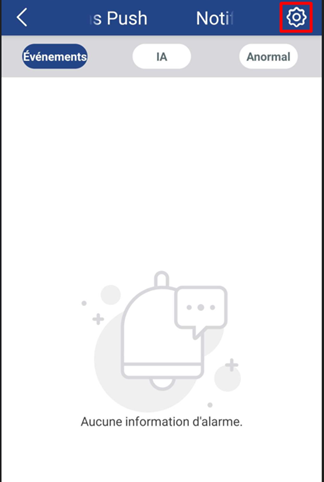
Once in the menu, click on the "Settings" icon in the top right.
Then turn the button on to turn blue (1), then open the menu (2) to set the notification types, and finally go to the menu (3) to configure the notification schedule.
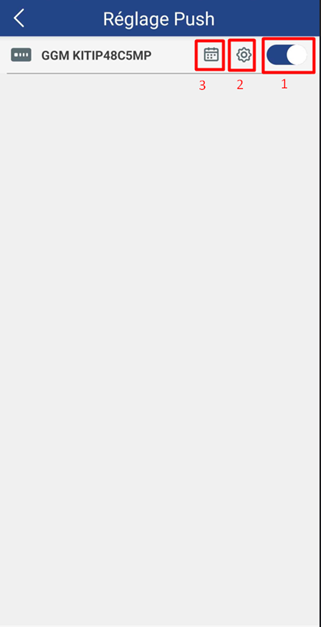
The first button turns notifications on or off.
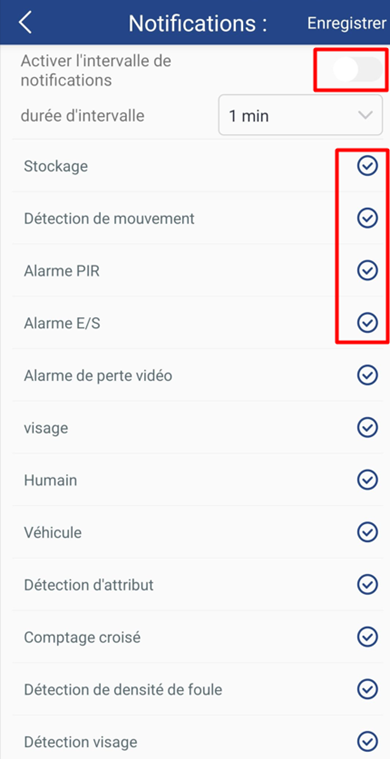
The second button allows you to select certain types of notifications (by checking or unchecking the lines). It also offers the possibility to activate a notification interval, which delays the sending to avoid an accumulation of identical notifications.
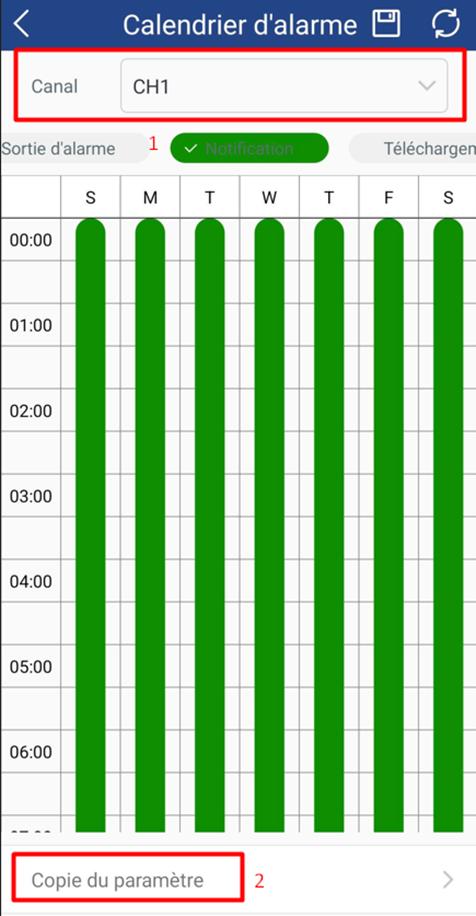
The third button allows you to set the detection ranges to avoid receiving notifications at unwanted times (the setting is done by camera).
Select the camera you want to set up in "Channel" (1).
You can copy the settings from the current channel to the other channels (2).
To edit the table, tap the schedules you want to select or deselect.
To scroll through the table, press and drag up or down with two fingers at thesame time.
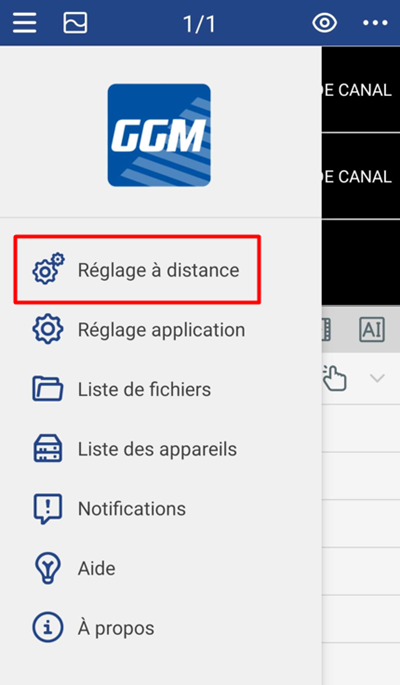
You have another way to access the calendar settings: go to "Remote Settings" from the main menu.
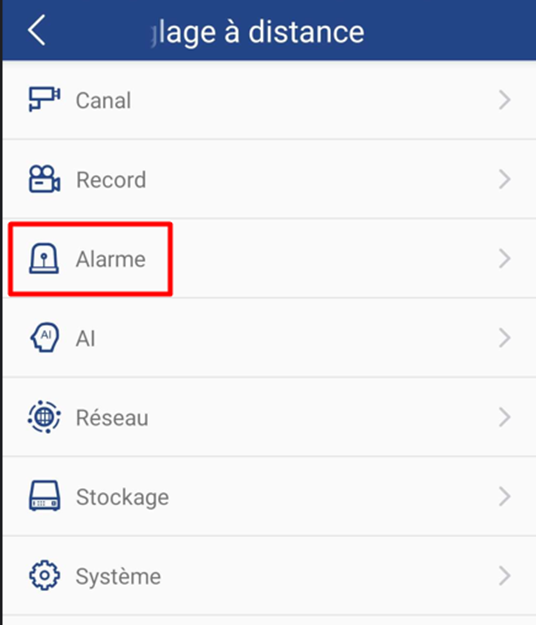
Once you have selected your recorder, go to "Alarm".
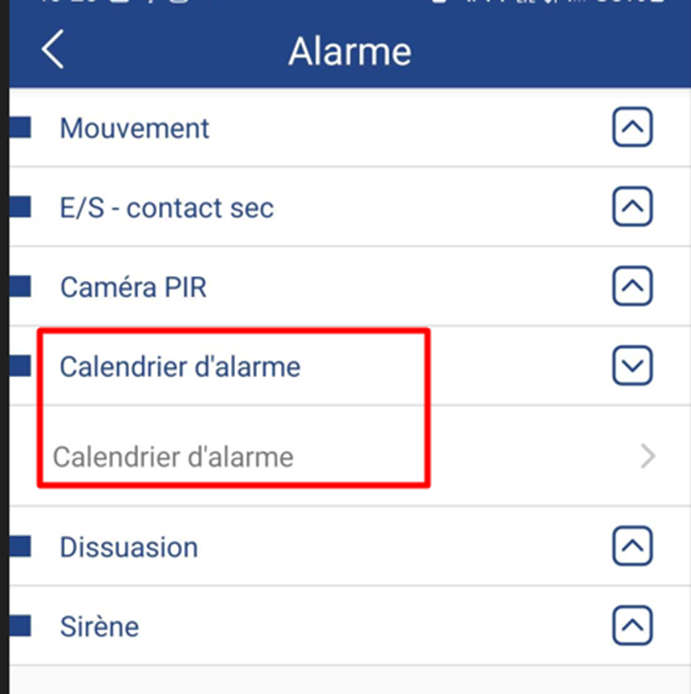
Finally, tap on "Alarm Calendar".
----------------------------------------------------
* Depending on the model and firmware version used :
GGM KITIP24C5MP
GGM KITIP24CD5MP
GGM KITIP48C5MP
GGM KITIP48CD5MP
GGM KITIP48C4MPA
GGM KITIP48CD4MPA
GGM KITIP48CDM5MP
GGM KITIP816C5MP
GGM KITIP816CDM5MP
GGM NVRL0104
GGM NVRL0104P
GGM NVRL0108P
GGM NVR0108PA
GGM NVR0208P
GGM NVR020808P
GGM NVR0216P
GGM NVR021608P
GGM NVR021616P
GGM NVR0232
GGM NVR023216P
GGM NVR0416
GGM NVR0432
GGM NVR043216P
GGM NVR0816
GGM NVR081616P
GGM NVR083216P
GGM NVR0832
GGM NVR16
GGM NVR32
GGM NVRE0104P
GGM NVRE0108P
Was this article helpful?
That’s Great!
Thank you for your feedback
Sorry! We couldn't be helpful
Thank you for your feedback
Feedback sent
We appreciate your effort and will try to fix the article