1- Diagram / How to use WIFI Controller
The Wi-Fi controller allows the deployment and the easy and fast management of several Wifi access
points (AP) in your network.
Wireless network management includes real-time control of Access Point (AP) status, quality of
service, and enhanced security policy.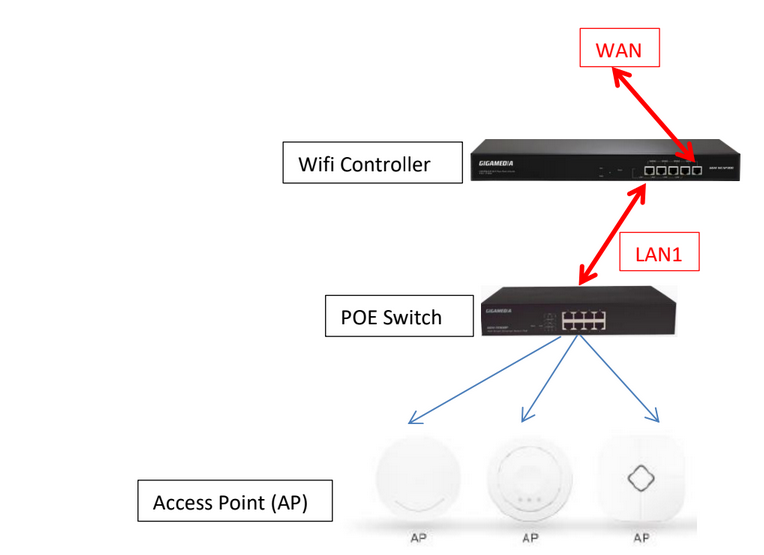
2- Quick Installation
Connect your PC with the LAN Port then login Web Management with Internet Explorer
You must configure your PC with a fixed IP address 192.168.10.X (X between 2 and 253)
IP Address by default (LAN): http://192.168.10.1
Identification: admin
Password: admin
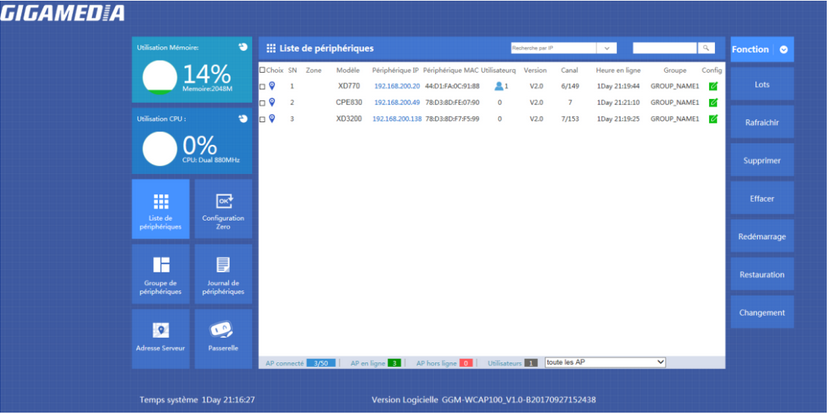
LAN Settings: Tab Gateway then LAN, to modify IP Parameters
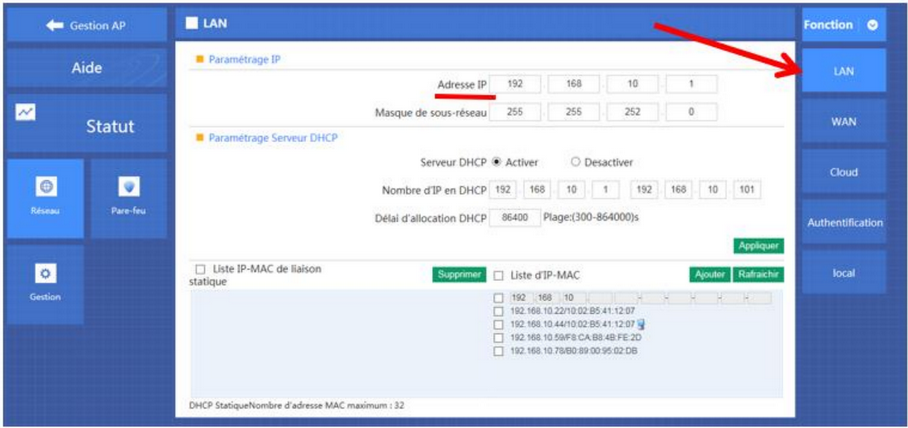
WAN Settings
Please choose your WAN Settings according to your connection Mode:
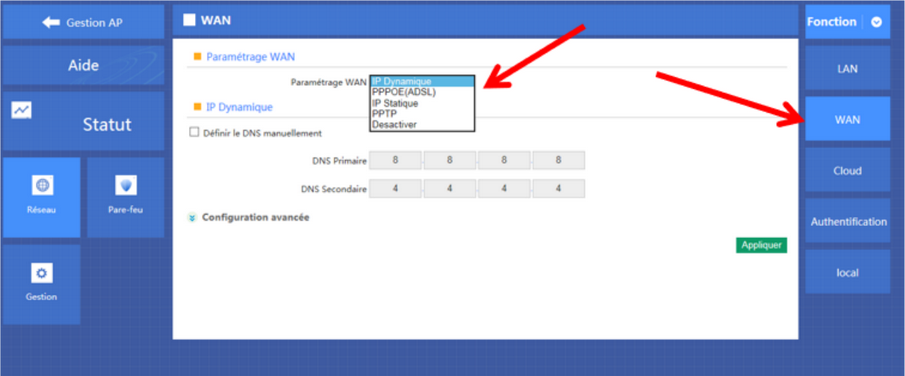
Manage and integrate Access Point (AP)
2 methods :
a) By Groupes
b) Zero Config
a) Creation of one or more groups
Go to Device Group and click New to add a group

To modify group, click to
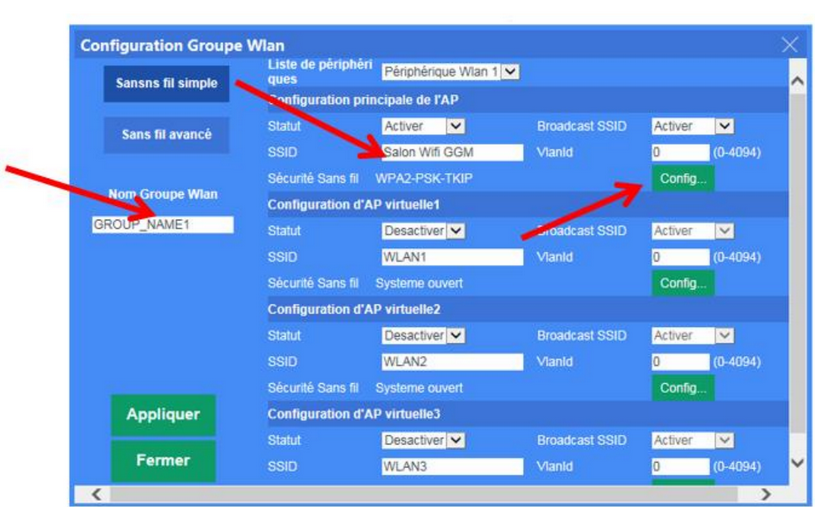
Customize your Wifi Settings for this group :
Status: Enable
SSID: Name of your Wifi
Security: Add a security Key
Add one or more Access Points: Click on +
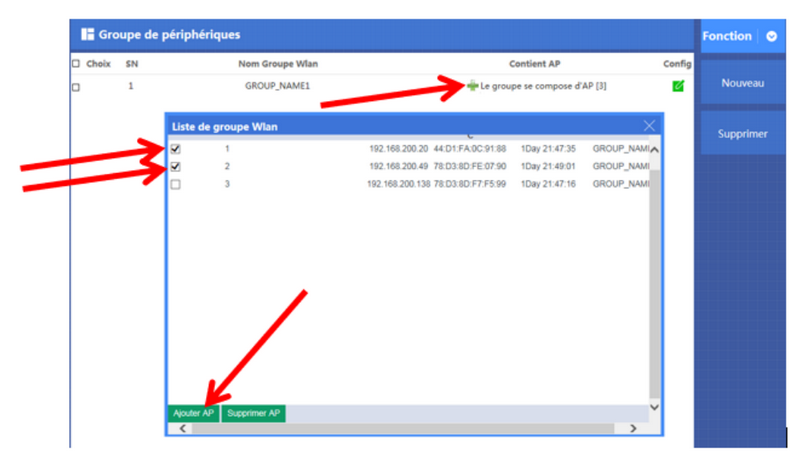
- Select one or more Access Points to integrate
- Click on Add AP
b) Zero Config - Function Wireless Plug & Play
Zero Config function is the same as creation of groups.
Settings in Zero Config will be the same for all Access Points connected. (Same SSID, same Password,
same channel).
Attention : it is recommended, first, to set the Zero Config before connecting all Access Points.
If not, configuration of Access Points will be enable after restarting it
Manage Access Point
Here, you can use those functions:
- IP Filtering
- Port Filtering
- MAC Filtering
- QoS and Bandwidth Management
Go to Gateway then Firewall
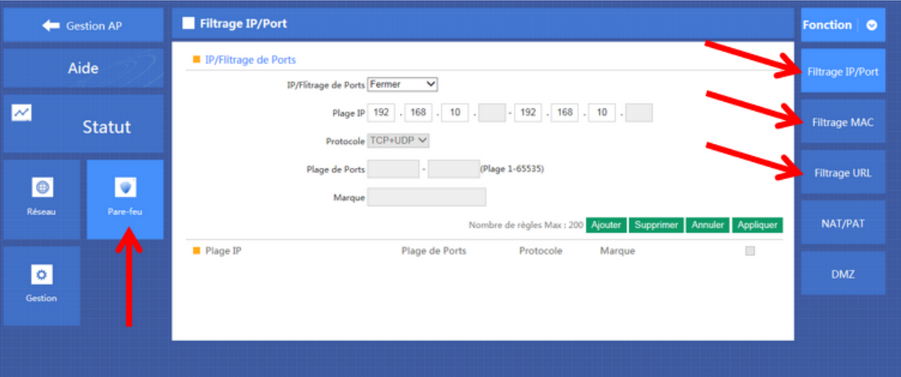
For QoS, go to Manage then QoS
Click to download this document
Var denne artikkelen nyttig?
Så bra!
Takk for din tilbakemelding
Beklager at vi ikke kunne være mer til hjelp
Takk for din tilbakemelding
Tilbakemeldingen er sendt inn
Vi setter pris på tilbakemeldingen din og vil prøve å rette på artikkelen